
About Midjourney
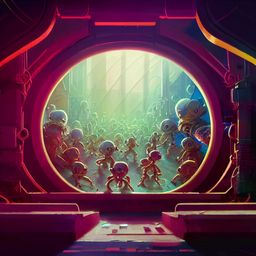
Midjourney is a generative AI tool for creating high-quality visuals and short animated clips from text prompts and image references. Accessible via Discord or a dedicated web editor, it serves creative professionals needing fast, consistent, stylized output. Version 7 adds Draft Mode for rapid prototyping, Omni Reference for embedding brand elements or characters, and unified web controls for inpainting, outpainting, zoom, and pan. The AI video generator turns stills into clips up to 21 seconds with motion customization. Flexible Fast, Relax, and Turbo modes balance speed and GPU cost.
Key Features
- Version 7 with Draft Mode and Omni Reference: Allows for rapid prototyping while maintaining visual consistency across iterations.
- Web Editor with Unified Controls: Combines inpainting, outpainting, zoom, pan, and prompt editing tools in a single interface.
- Omni Reference Tool: Enables users to embed specific visual elements such as brand icons, product designs, or characters into new outputs with adjustable influence.
- AI Video Generator: Converts still images into animated clips up to 21 seconds, with motion customization and looping options.
- Flexible Speed Modes: Offers Fast, Relax, and Turbo modes to balance quality, speed, and GPU usage based on project needs.
Pricing Details
- Basic Plan: $10 per month. Includes 3.3 Fast GPU Hours, no Relax Mode, and limited to solo direct messages in Discord. Suitable for low-frequency use.
- Standard Plan: $30 per month. Includes 15 Fast GPU Hours and unlimited access to Relax Mode. Ideal for regular creative output with a balance of speed and flexibility.
- Pro Plan: $60 per month. Includes 30 Fast GPU Hours, unlimited Relax Mode, and access to Stealth Mode for private generations. Designed for users managing multiple concurrent projects or needing confidentiality.
- Mega Plan: $120 per month. Includes 60 Fast GPU Hours, unlimited Relax Mode, Stealth Mode, and highest job queue priority. Suited for heavy users or small teams needing maximum throughput.
- Additional GPU Time: Fast Hours can be purchased separately at $4 per hour. These credits do not expire and can be used once the monthly allocation is exhausted.
- Fast vs. Relax Mode: Fast Mode consumes GPU time for immediate rendering. Relax Mode is unlimited but slower, with jobs queued based on system load.
- Video Usage: One short video generation consumes the equivalent of eight minutes of GPU time, making video output significantly more compute-intensive than static image generation.
- Free Bonus Hours: Active subscribers can earn extra GPU time by participating in community image ranking activities or completing platform surveys. Earned credits expire after 30 days.
Pros
- High Visual Precision: Delivers photorealistic details, particularly in facial features, hands, and complex textures.
- Visual Consistency Across Assets: Maintains branding, style, or character fidelity throughout campaigns using reference-based controls.
- Drafting Efficiency: Draft Mode supports fast, low-cost image exploration for testing visual directions.
- Adaptable Workflow: Provides both command-line interaction through Discord and visual editing via the web interface.
Cons
- Steep Learning Curve for New Users: Requires familiarity with both Discord commands and the web editor.
- High GPU Cost for Video Outputs: Animated clip generation uses substantially more compute than still images.
- Legal Risk Exposure: The platform is currently facing copyright-related lawsuits that may impact long-term commercial deployment.
- Related:
- AI Storytellers
- Presentation AI Assistants
- AI Fashion Tools
Use Cases
- Marketing Professionals: Generating campaign visuals, promotional assets, and branded content efficiently.
- Creative Agencies: Producing concept art, visual mockups, and iterative designs for clients.
- Filmmakers and Storyboard Artists: Developing visual narratives and animated drafts for pre-production workflows.
- Educators and Visual Communicators: Crafting instructional visuals and creative materials for learning environments.
- Uncommon Use Cases: Employed by therapists to co-create narrative therapy illustrations; used by urban planners to generate animated visualizations of proposed designs.